

Better Estimates in a Lot Less Time.
Meet Takeoff Boost™ in PlanSwift®, a suite of AI tools that takes hours of manual work off your plate, so your time goes to the bid that wins the job.
Here’s what gets automated with Takeoff Boost.
Same easy PlanSwift trusted by preconstruction pros for years, now with AI doing the heavy lifting on every bid.
Takeoffs
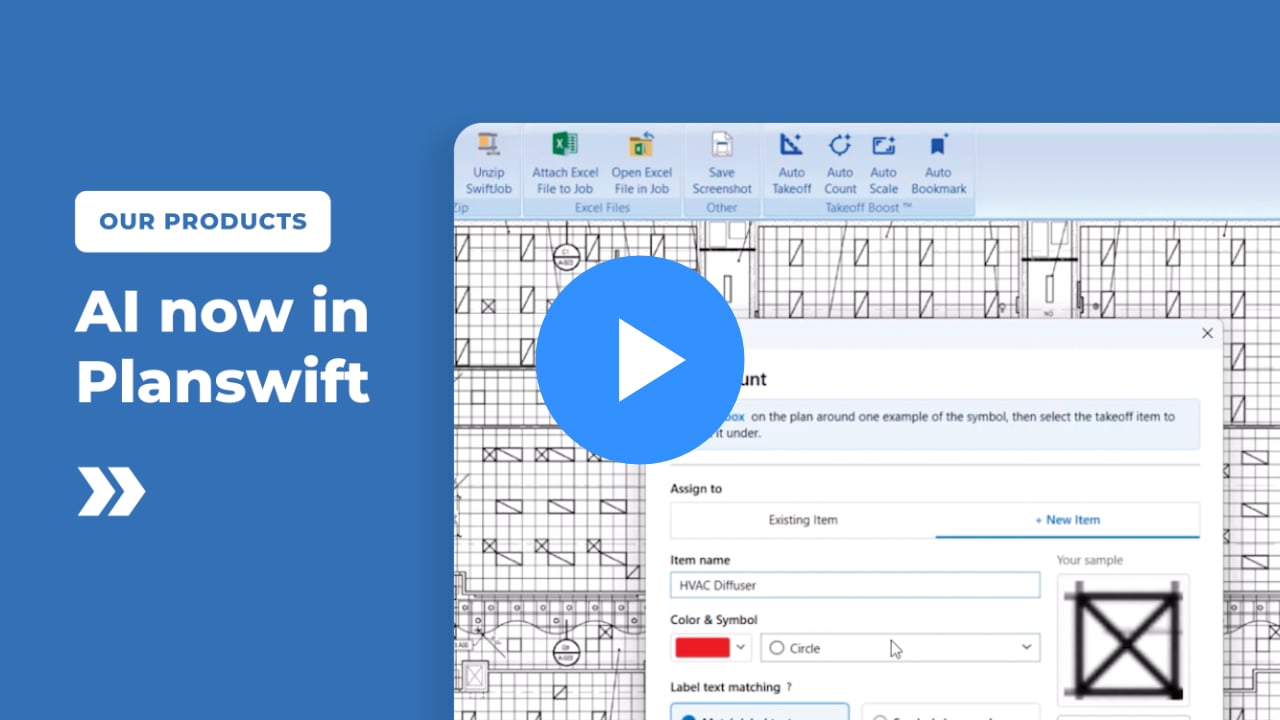
Get a full page of takeoff results in as little as 30 seconds with Auto Takeoff.
Counts
Select any object once and let Auto Count find and total every match across your selected Plan Set.
Scale
Set accurate page scale across your entire Plan Set in seconds with Auto Scale.
Navigation
Jump straight from floor plans to detail pages with Auto Bookmark, without manually creating links.
See how Takeoff Boost works in PlanSwift
1) Point & Click
Takeoff and Estimate in seconds, if it’s colored it’s counted.
Quick Look
2) Drag & Drop
Drag and Drop material and labor assemblies onto your takeoff.
Quick Look
3) Print or Export
Sharing your estimate is easy, and PlanSwift is fully Excel compatible.
Quick Look
Point & Click
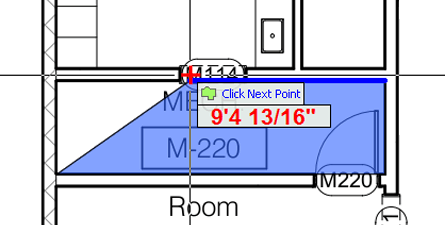
Just Point & Click and your takeoff is done. Takeoff simple or complex areas, items, lengths, volumes, perimeters in seconds, if it’s colored it’s counted.
Drag & Drop Parts / Assemblies
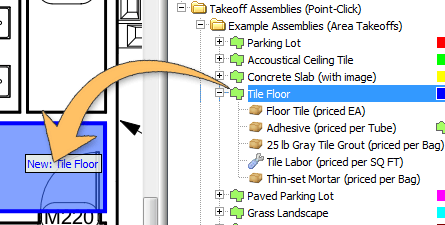
Drag & Drop pre-configured Assemblies (materials, waste and labor costs) onto your takeoff items and PlanSwift instantly calculates all your costs and expenses.
This Drag & Drop feature will greatly increase the accuracy of and reduce the time it takes to Estimate a job.
Print or Export Takeoffs / Estimates
Internal Calculations

Material Calculations

Labor Calculations

PlanSwift for Trades
PlanSwift is easily customized for you and your specific trade. Simply create assemblies of commonly used materials, waste and even labor. Then drag those assemblies onto the takeoff items for instant and accurate estimates of all your costs!
- General Contractor
- Concrete
- Drywall
- Electrical
- Flooring
- Framing
- HVAC
- Landscape
- Painting
- Plumbing
- More Trades
General Contractors
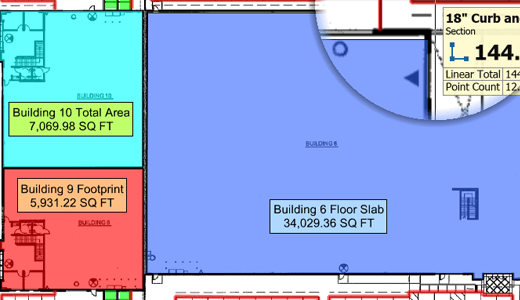
- Takeoff in a fraction of the time with PlanSwift software click, drop, and estimate functionality.
- Manage projects large and small with accurate and timely calculations.
- Easily adjust cost projections, simply change product cost and recalculate!
- Bid more jobs, manage more efficiently and grow your business with PlanSwift takeoff and estimating software.
Want more information about PlanSwift Takeoff Software for General Contractors?
Concrete Takeoff and Estimating the Smart Way
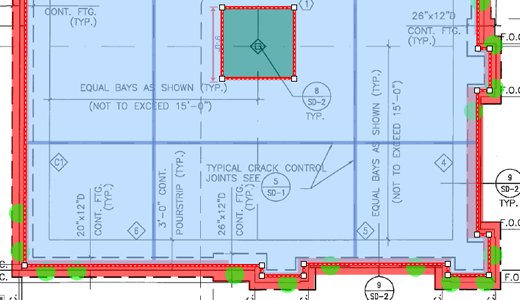
- Takeoff footings, walls and foundations measurements quickly and accurately.
- Simple Single Click selection for for slab dimensions..
- Custom pre built assemblies accurately project rebar, membranes and other materials and labor.
- PlanSwift instantly and accurately calculates your costs and margins then print or export to excel
More on Estimating Software for Concrete
Fast and Accurate Drywall Takeoff
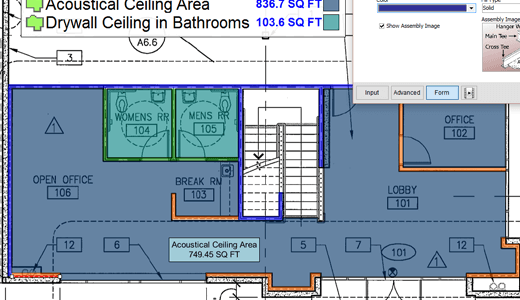
- Simply point and click to measure walls, ceilings and partitions.
- Calculate your square footage and surface areas quickly with our area and linear tools.
- PlanSwift automatically calculates materials and labor for a perfect estimate, every time.
- You’ll make more accurate estimates much quicker, saving time and money!
More on Estimating Software for Drywall
Electrical Takeoff Made Easy With PlanSwift
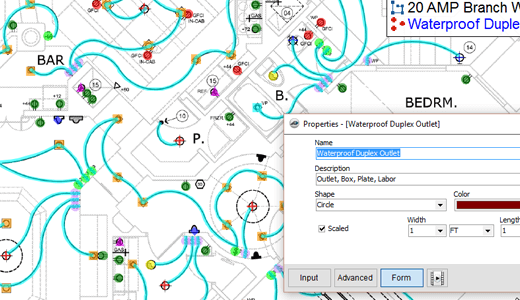
- Measures lengths for conduits, wiring and cables quickly and accurately
- Adds total number of switches and receptacles with ease.
- Automatically calculates materials and costs
- Export into estimate in a snap, saves time, money and effort
More about Electrical Estimating Software
Save Time on Flooring Takeoff and Estimating
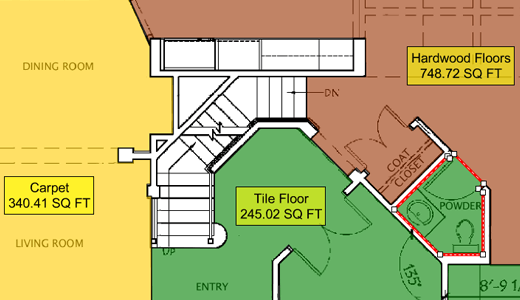
- One Click area select for tile,carpet , hardwood or laminate floor areas.
- Speedy perimeter measurement for nail strip and baseboard needs.
- Measure, count, calculate, print or export your estimate with our easy takeoff software.
- Estimate more accurately in less time. Bid and win more jobs.
More on Estimating Software for Flooring
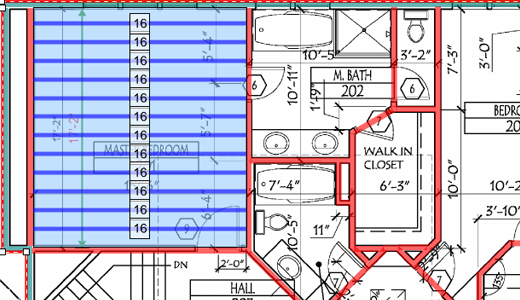
Fast and Accurate Framing Estimates
- Measure joists, rafters, studs, headers, etc.
- Count posts, connectors and more.
- Calculate labor, waste and equipment hours.
- Print or export your estimate with our easy takeoff software.
- Estimate more accurately in less time. Bid and win more jobs.
More on Estimating Software for Framing
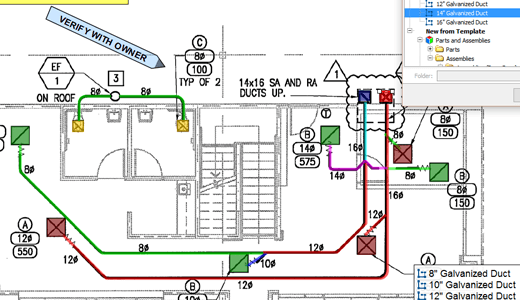
Mechanical HVAC Takeoff in a Snap
- Quickly trace linear takeoff for A/C supply lines.
- Instantly derive volume of rooms for heating and cooling.
- Generate precise material lists for HVAC assembly and instantly calculate cost.
- Do faster takeoff estimates that are mistake free!
Learn more about HVAC estimating software
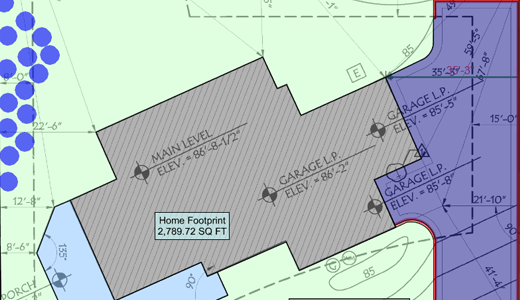
Landscaping Takeoff and Estimating Software
- Easily measures square footage, volumes and linear dimensions, even if the “linear” is curved.
- Get instant, accurate area dimensions for sod, mulch, gravel and other products with a Single Click.
- Get an accurate professional estimate with a point, drag and click.
- Faster, more accurate estimates save you time and help your bottom line!
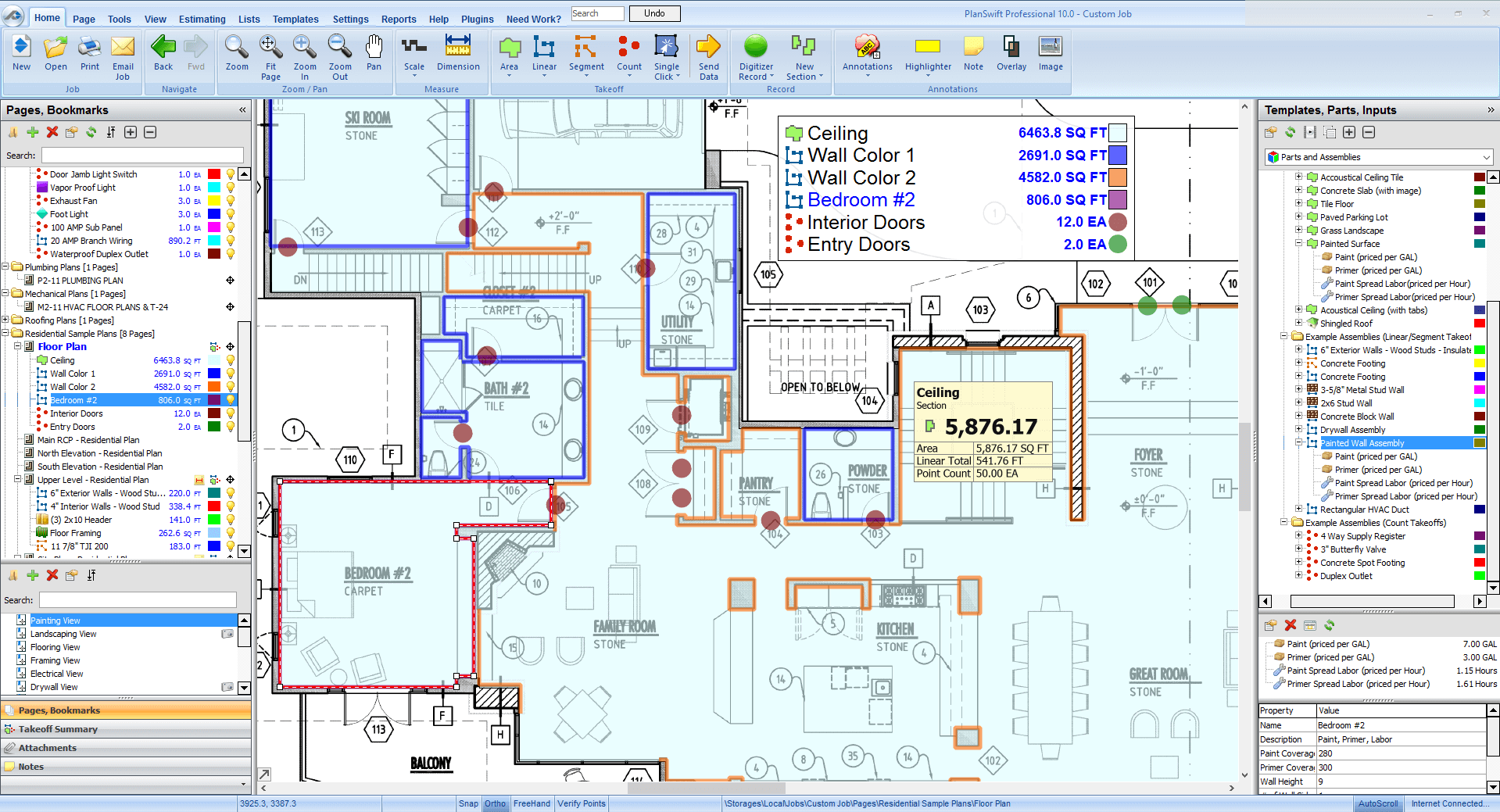
Painting Takeoff & Estimating in Minutes
- Single click area select tool instantly measures every wall and ceiling surface – straight or curved.
- Simply drop pre-built custom assemblies onto the takeoff for instant estimating.
- Everything is counted and calculated including paint, primer, labor and materials for the job.
- Spend less time estimating, bid more jobs and maximize earnings!
More on Estimating Software for Painting
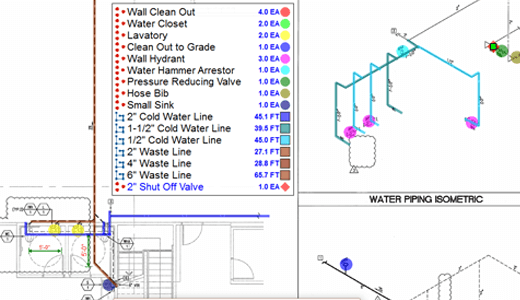
Fast, Easy and Accurate Takeoff for Plumbers
- Swiftly measure linear feet for CPVC, drain and supply piping.
- Get accurate instant takeoff counts for fixtures and fittings with point and click ease.
- PlanSwift calculates everything for a precise estimate every time.
- Save time, avoid costly errors and maximize profits with PlanSwift
More on Estimating Software for Plumbing
What is PlanSwift® software used for?
PlanSwift is digital takeoff and estimating software for construction professionals. It helps you measure blueprints, calculate material and labor costs, and create fast, accurate estimates. With tools like drag-and-drop assemblies, customizable templates, and Excel® integration, PlanSwift saves time and helps your business succeed.
Is PlanSwift easy to learn?
Yes, PlanSwift is built for construction professionals and is simple to use. It has point-and-click tools, drag-and-drop features, and customizable templates. PlanSwift also offers one-on-one trade-specific training and support to help get you started.
What are takeoffs in construction?
A construction takeoff is the first step in figuring out project costs. It happens during the preconstruction phase and involves measuring and listing all the materials, labor, and equipment needed based on blueprints. Takeoff is different from estimating because it only focuses on measuring what’s needed. Estimating adds prices to these items. Takeoffs make sure estimates are precise and save time by reducing errors in project planning.
What is a construction quantity takeoff?
A construction quantity takeoff is a detailed measurement of all the materials, labor, and equipment needed for a project. It’s an early step in the bidding process that helps contractors figure out how much work is required. This process involves breaking the project into smaller, measurable parts. While all takeoffs include quantity measurements, quantity takeoffs focus on counting and measuring each material to provide accurate data for cost estimates.
What should you look for in construction bidding software?
When choosing construction bidding software, look for features like centralized project info, bid management, collaborative tools, system integration, and ease of use. PlanSwift includes all these features. It helps you handle your takeoffs and bids, integrates easily with Excel®, and keeps your estimates accurate. PlanSwift is a construction bidding software designed to save time and keep your projects organized.
Does PlanSwift have any AI tools?
Yes. PlanSwift® includes a full suite of AI tools called Takeoff Boost™, built directly into the software. Takeoff Boost automates the slow, manual parts of takeoff, so estimators can spend less time on measurements and more time on the estimate that wins the job.
PlanSwift’s AI tools include:
- Auto Takeoff. Get a full page of takeoff results in as little as 30 seconds. Up to 95% faster than fully manual takeoff.
- Count. Identify any object once and let AI count every match across selected pages of your Plan Set.
- Auto Scale. Set accurate page scale across your entire Plan Set in seconds, instead of one page at a time.
- Auto Bookmark. Jump from floor plans to detail pages with one click, no manual link setup.
PlanSwift’s AI tools work inside the workflow you already know. There’s no new software to learn, no cloud migration, and no change to the files or trades you already work with.